Animating an enemy with inverse Kinematics
For some practice in game dev and perhaps for use in a future project, I made a basic model in blender, a head with an “arm” that this creature could use for its movement which was controlled and rigged by an armature. Quickly throwing together some pixel textures using GIMP and some photos of skin, I Imported the model into Godot. I thought that this would be a good opportunity to learn and experiment with inverse kinematics for the very first time.
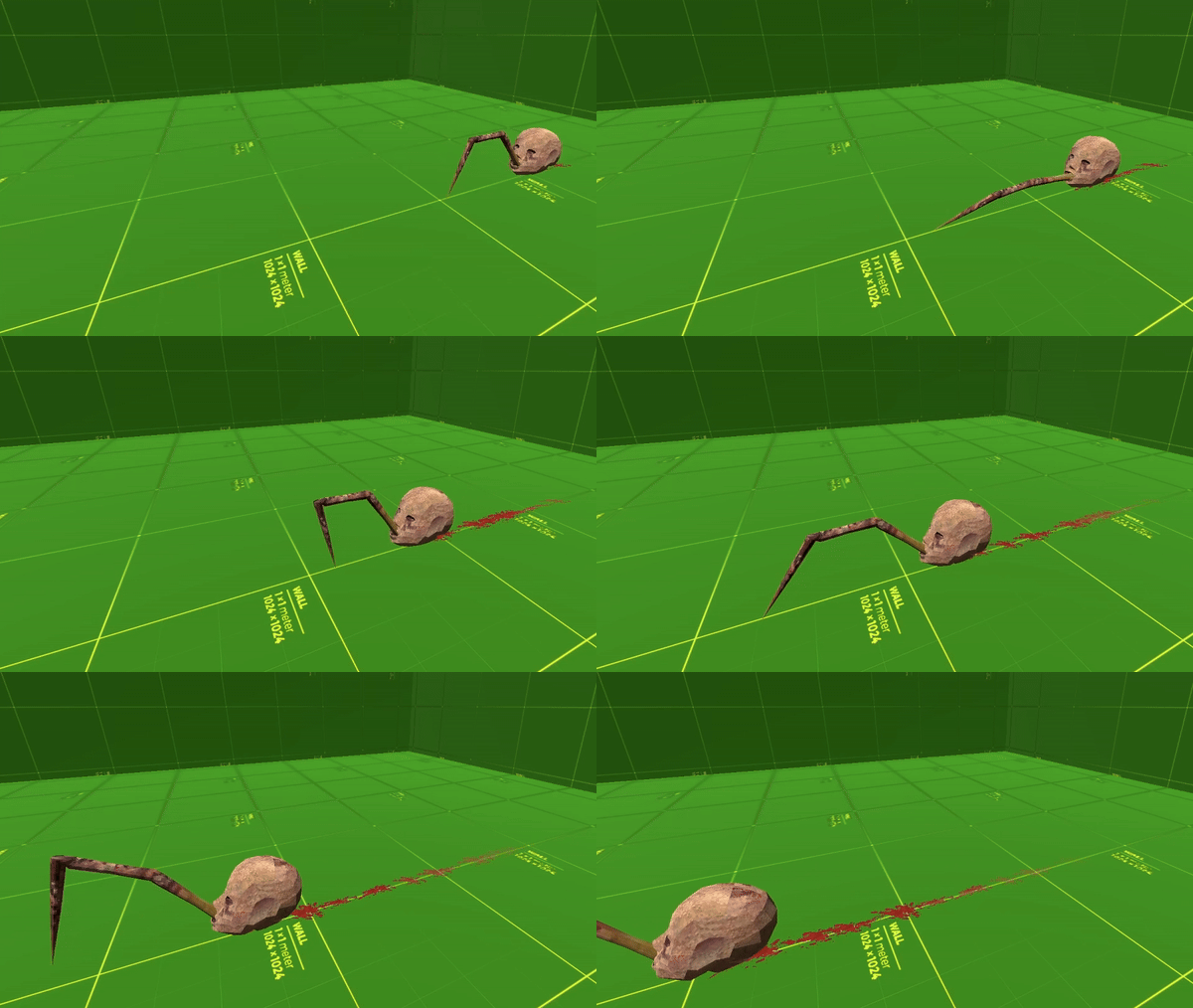
To achieve the affect of the “leg” dragging the head across the ground, I added a blank node which would act as the target for the tip bone of the inverse kinematic. Using the animation player allows for key-frames of this target node which when used with IK’s(Inverse Kinematic) can create a seemingly complex and smooth animation. To create movement and the illusion of dragging, Key-frames which trigger methods can be called within the animation player, allowing for us to easily sync the move() method with the key-frame where the IK node touches the ground, followed by a stop() when the IK node leaves the ground.
To add a bit of juice to this scene, I created some decals and had them spawn below the head during movement with some random variation in size and rotation to add a blood trail. The decals spawned at irregular intervals to avoid patterns and had a short delay before they began to fade. After fading they are freed to maintain performance.
 FalconGames